Click on the links below to learn more about ADS Updates:
ADS Program Operation Updates **SAS Connect, Access Needs Meetings, and SAS Consultation
About SAS Testing
Sign Language Interpreting & Captioning
Adult and Continuing Education
Alt Text & Media
AIM Transition to Version 5 – Coming in 2026
Follow us on Social Media!
Greetings, Students!
We hope you have had a wonderful start to the Spring semester. This Spring, our team is thrilled to welcome back our Executive Dean, Rosalind Blackstar, who has returned after several months of parental leave. We are all joyous at the return of our leader, and we look forward to the work ahead.
This semester, all Access & Disability Support staff will be engaging with an internal audit in partnership with ACC’s Office of Equal Opportunity Compliance, as well as an external audit with Accessibility Experts from our field’s governing body, AHEAD (Association on Higher Education And Disability.) We look forward to sharing our insights with them, and the findings informing our efforts going forward.
We have many fantastic initiatives and projects in progress in our area and in Accessibility overall at the college. We want to be sure to highlight a few here!
Guidance on Web Accessibility, with upcoming April Deadline!
Other things for students?
Please take some time to review the information below that our team has thoughtfully pulled together to keep you informed and supported by our team.
Have a great semester!
-ADS Leadership
Student Reminders:
Submit Your Semester Accommodation Requests!
Each semester you must submit your accommodation request(s) for each course you are enrolled in if you want the Faculty Notification Letters issued to your instructors. Since accommodations are not retroactive, it’s important to submit your requests at least 3 weeks before the start of each semester.
Link here: How to Request Semester Accommodations in AIM
Take some time to review our webpage! We are in the process of updates to much of our content, so continue to check in and familiarize yourself with all kinds of helpful information!
We suggest:
Student Rights and Responsibilities
Frequently Asked Questions
If you need to connect with someone virtually or in-person for any reason, please visit: Contact SAS | Student Accessibility Services to find the direct contact information to connect directly with an Advocate or someone else on our team!
ADS/SAS Staff Updates:
The past few semesters have brought many changes to ADS & SAS, including changes with some of our staff. We would like to share some of those updates with you.
ADS New Hires:
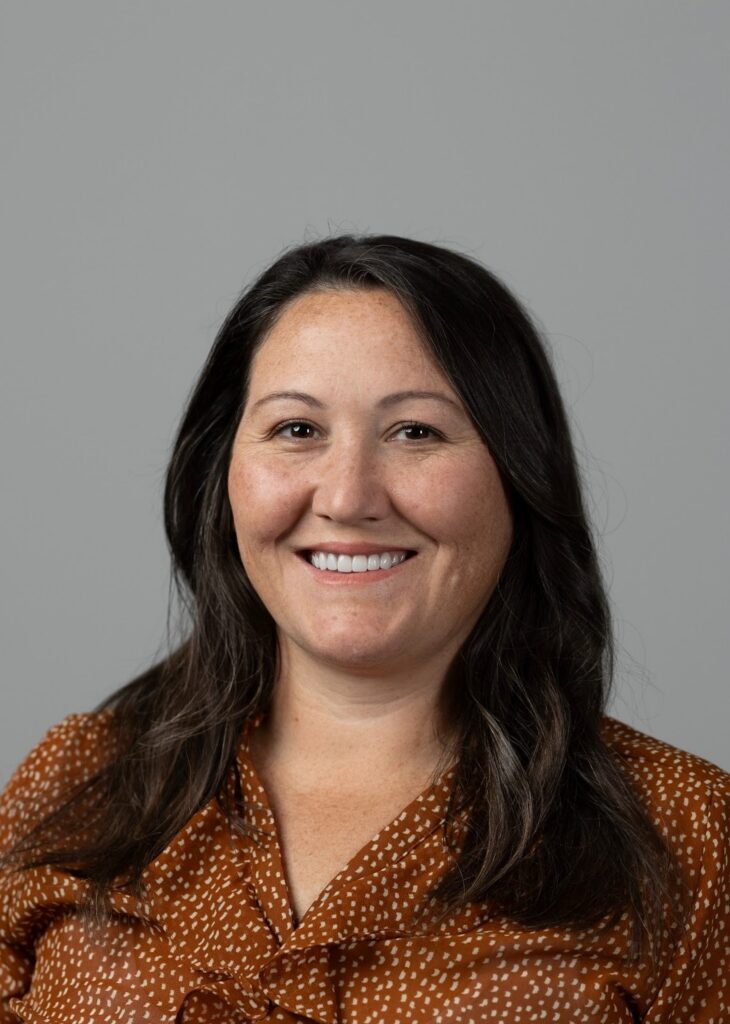
Jamie Coughlin
Director, Program Operations
Bio: Jamie Coughlin earned her Master of Education in Higher Education Leadership and Policy from The University of Texas at Austin and her bachelor’s degree in Interdisciplinary Studies and Special Education from The University of Texas at San Antonio. A proud community college alum, Jamie brings a holistic, student-centered perspective to her work and has more than a decade of experience in accessibility, inclusion, and student success.
Outside of work, Jamie is a self-proclaimed collector of hobbies and an enthusiastic sports fan (Austin FC, UT, and Go Rams!). Most importantly, she loves spending time with her husband, Yodi and Birdie (the dogs), and Samantha (the cat).
ADS Program Operation Updates
ADS has updated the way we engage with faculty, students and stakeholders. We have provided detailed information below on how to connect with Student Accessibility Services (SAS).
SAS Consultation
Need a quick check-in? SAS Consultations are 30-minute meetings, designed for quick support throughout the semester. Students should contact their assigned SAS Advocate to schedule a meeting.
For Enrolled Students: Discuss current accommodations, request updates for new courses, or ask general questions about navigating accessibility at ACC.
For Prospective Students, Faculty, and Staff: Get answers to general questions regarding accessibility at ACC.
SAS Connect
SAS Connect is the team that supports students submitting accommodation applications. This team is a students first contact in requesting accommodations at ACC. They are responsible for reviewing applications and documentation, and then connecting students with a SAS Advocate to schedule an initial Access Needs Meeting. SAS Connect can also support student questions about what type of documentation is needed.
Access Needs Meetings
Access Needs Meetings are for students who are enrolled at ACC and are currently experiencing an academic barrier. An Access Needs Meeting is an interactive, confidential, one-on-one session between a student and SAS Advocate to discuss functional limitations and determine reasonable accommodations. Once an Access Needs Meeting is complete students will be able to request Faculty Notification Letters (FNL) and begin utilizing approved accommodations.
About SAS Testing
If you are testing at a campus testing center or online with SAS Virtual Proctoring, you will need to make an exam request in AIM. Exam requests should be made at least 5 business days in advance, with one exam per request. The best practice is to schedule all your exams at the start of the semester.
Scheduling Exam Appointments in AIM
- Log in to AIM.
- On the left, under My Accommodations, click “SAS Testing”.
- Select the class for which you need testing.
- Then, click on “Schedule an Exam”.
- Complete the Exam Detail section.
- Enter additional notes (i.e., exam name).
- Click Add Exam Request.
What happens after I request an exam in AIM?
- You will receive an email with details about your request.
- Review the information in your request for any changes you’d like to make.
- SAS Testing staff will review exam requests and cross-reference with your instructor’s Alternative Testing Agreement.
- If no Alternative Testing Agreement is on file, SAS Testing staff will follow up with instructors to complete the form before the exam request is approved or denied.
- About a business day before your appointment, you will receive a confirmation email from the SAS Testing staff when a request is approved.
Rescheduling/Modifying Appointments
You can log in to AIM and modify or cancel an exam request. All rescheduled exams must adhere to course deadlines. If you are requesting to change an exam date past a deadline, you must get your professor’s permission.
Please contact [email protected] if you have any questions about your scheduled appointment. We are here to help!.
Sign Language Interpreting & Captioning:
Did you know that if you are a deaf or hard of hearing student, you can request an interpreter to be present at an upcoming campus meeting or event?
Reminder: Please submit a SLIC request for all Communication Access services within 7 days of the service!
Please visit to our new and improved Sign Language Interpreting & Captioning (SLIC) pageand learn more about our important work!
Adult and Continuing Education:
While each ACC Campus has a dedicated SAS team available to answer your questions, we also have an Accessibility Advocate specializing in support for Adult and Continuing Education students.
We are excited to welcome McKenzie Van Cleave to our team! She joins Emily Perhamus to enhance the support we provide individual Adult and Continuing Ed students seeking access to disability-related accommodations. They are both available virtually, by phone and in-person at any ACC campus by appointment. Contact them at [email protected].
Adult Education
Official GED and GEDReady Accommodations: Only GED.com can approve accommodations for official GED tests and/or GEDReady testing, but our AE/CE SAS Advocates are available to support students with this request process. GED.com requires 30 days to process accommodations requests, and has strict documentation requirements, so it’s best to start the process as soon as possible. More information about the accommodation application process can be found here
Reminder: All students (including those continuing in an Adult Education course with the same instructor, at the same level) will need to request accommodations for each new term. Encourage students to reach out to [email protected] for support.
Continuing Education
Due to the quick turnaround between registration and start dates for CE courses, we encourage students who may need accommodations to complete the SAS application process as early as possible. Students will apply for SAS, upload supporting documentation and meet with Emily or McKenzie to discuss their requests. Please connect students directly at [email protected] for support with completing these steps.
Emily and McKenzie are also available by appointment to assist students applying for accommodations administered by certifying/third-party organizations.
Alt Text & Media:
The Alt Text & Media team works alongside faculty to ensure course materials are accessible for students with disabilities who use assistive technologies or need formats like braille or large print. If you need support accessing your course materials, please work with your advocate to schedule an Accessibility Action Plan meeting as soon as possible.
Updated: Students Approved for Accessible Textbooks
What’s Changing:
We want to inform you that the process for requesting eBooks through SAS is changing.
Effective immediately, we will no longer use the online Textbook Request Form for eBook requests. That form has been deactivated and is no longer available.
Instead, students needing alternative-format eBooks can directly submit their request by email to [email protected] and include the following information:
- Book title
- Edition
- Year of publication
- Author name
- The format you are requesting (PDF, EPUB, audio)
This new centralized process helps us track and fulfill requests more efficiently. The sooner we receive your complete information, the sooner we can begin processing your request.
If you have any questions, feel free to reach out to us at the same address: [email protected].
Processing Timeline
Textbooks are typically delivered within 7–10 business days after we receive your complete request.
Once ready, you’ll receive an email confirmation. If applicable, your textbook will be uploaded to your Kurzweil Library and/or sent directly to your ACC email.
If you have any questions, don’t hesitate to contact us at [email protected].
Proof of Ownership (Future Semesters)
We’re starting a new process for verifying textbook ownership. For now, it’s optional, but it will be required in future semesters or when a publisher/vendor is involved.
To avoid delays, please start keeping proof of ownership. This can be:
- A purchase/rental receipt
- A library checkout slip
- A photo of the book
- A letter from the seller
Plan ahead now to make things easier later!
AIM Transition to Version 5 – Coming in 2026
We’re excited to share that our accommodation management system, AIM, will transition to Version 5 in 2026. While the core structure of the student profile will remain familiar, this updated version introduces several enhancements designed to improve the user experience for students, faculty, and staff.
What’s new for students in Version 5:
- Fully optimized for mobile devices
- Testing accommodations that can be selected individually based on the class requirements
- Enhanced navigation for screen reader users
- A modern, user-friendly design
- New functionality to support coordination of flex plans with faculty
We’ll share more details as the launch date approaches. Stay tuned!
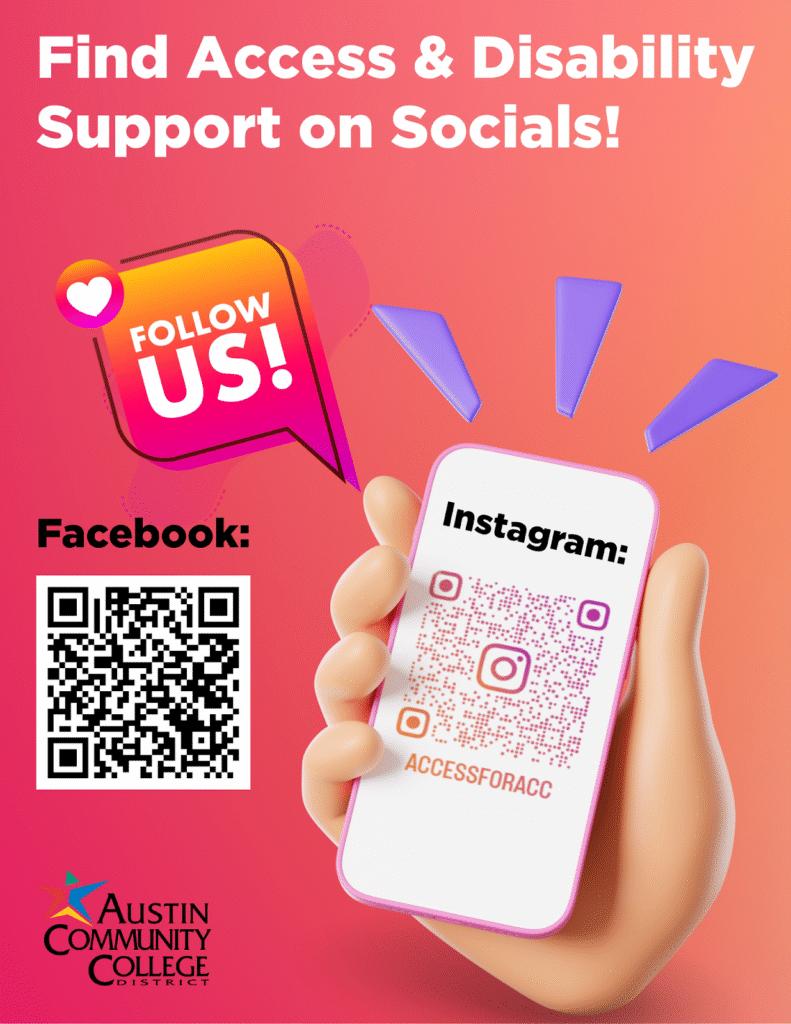
Follow us on Social Media!
Austin Community College’s Access & Disability Support/Student Accessibility Services (SAS) is excited to announce we are now on Instagram and Facebook!
We are building an inclusive online space to share information, foster accessibility, and stay connected with you. Follow us to stay up to date with:
- How-to’s and tips: Learn to use our AIM database, schedule tests, and more.
- Advocacy: Check out highlights, student stories, and information on your rights.
- Resources: Find upcoming events, campus resources, and disability community news.
Let’s keep the conversation going—connect, learn, and empower together!
Follow and share:
Instagram: @accdisabilityservices
Facebook: ACC Access & Disability Support
Back to Top